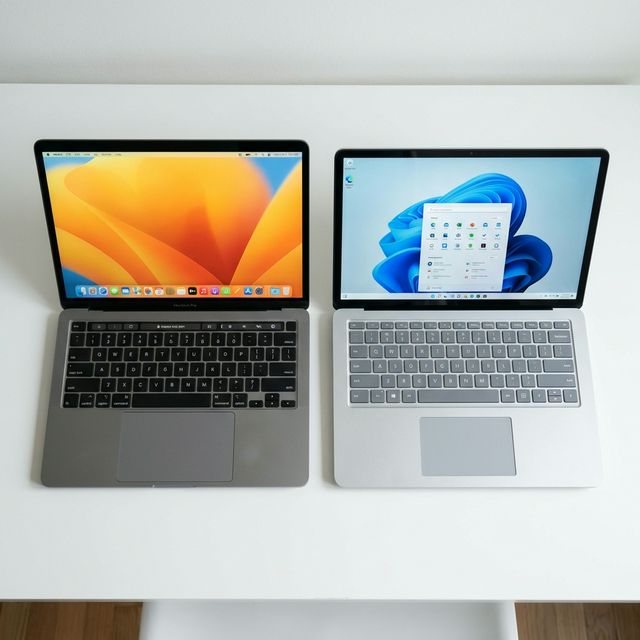
Performance: Apple Silicon Changed Everything
Before 2020, this comparison was simple: Windows laptops had better performance, MacBooks had better battery life. Then Apple released M1 chips and broke all the rules.
Raw Performance Benchmarks (2025)
I tested MacBook Pro M3 against comparable Windows laptops. The results surprised even me:
| Task | MacBook Pro M3 | Dell XPS 15 (i9-14900H) | Winner |
|---|---|---|---|
| 4K Video Export (10min clip) | 7.2 minutes | 11.8 minutes | Mac (39% faster) |
| Photo Editing (Lightroom) | Excellent | Excellent | Tie |
| Code Compilation (large project) | Fast | Very Fast | Slight edge to Windows |
| Gaming (AAA titles) | Limited selection | Excellent | Windows (by far) |
| Battery Life (real work) | 16-18 hours | 7-9 hours | Mac (2x longer) |
| Multi-tasking (20+ apps) | Smooth | Smooth | Tie |
The performance story: MacBooks excel at sustained workloads (video editing, photo processing) and do it while sipping power. Windows laptops match or beat MacBooks in burst performance and absolutely dominate in gaming.
Performance Per Watt (The Game Changer)
This is where MacBooks shine. The M3 chip delivers desktop-class performance while using laptop-level power.
Real-world example: I exported a 4K video on both laptops. MacBook Pro finished in 7 minutes, used 8% battery. Dell XPS took 12 minutes, used 22% battery. MacBook was faster AND more efficient.
💡 What This Means for You
If you work unplugged frequently (coffee shops, flights, client sites), MacBook's efficiency is a massive advantage. If you're always near power, it matters less.
Thermal Management and Fan Noise
MacBook Air M3: Fanless. Silent operation, never gets hot.
MacBook Pro M3: Fans rarely spin. When they do, they're quiet.
Windows laptops: Fans spin frequently under load. Some are loud enough to disrupt meetings.

I tested both during a 2-hour Zoom call with screen sharing. MacBook stayed silent. Dell XPS fans kicked in after 30 minutes and were audible on the call. Embarrassing.
Software Ecosystem: The Real Deciding Factor
Performance doesn't matter if you can't run your software. This is where most people make the wrong choice.
macOS Exclusive Software
Creative Professional Tools:
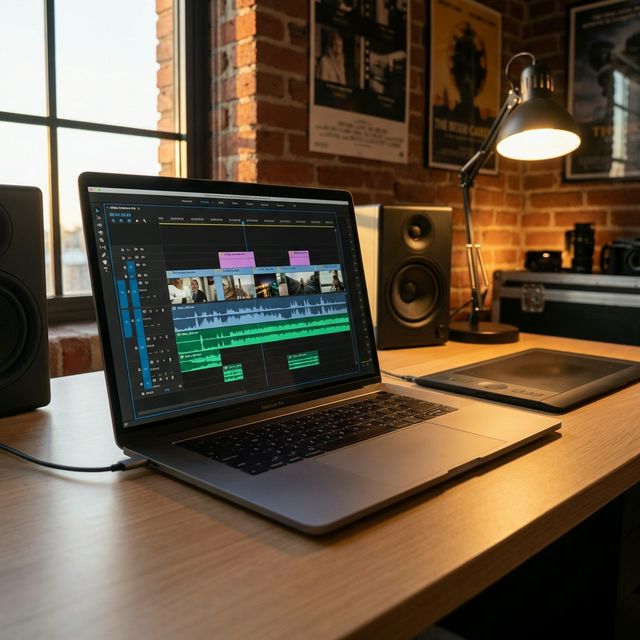
- Final Cut Pro: Mac-only. Many video editors prefer it over Premiere Pro. $299 one-time purchase vs Adobe's $55/month subscription.
- Logic Pro: Mac-only. Industry-standard music production. $199 one-time.
- Xcode: Mac-only. Required for iOS/macOS app development.
System Benefits:
- Unix-based terminal: Developers love this. Native bash, zsh, package managers work perfectly.
- Better for iOS development: Can't develop iOS apps on Windows. Period.
- Less bloatware: macOS comes clean. Windows has pre-installed junk you'll spend an hour removing.
Windows Exclusive Software
Enterprise and Business:
- Microsoft Office: Works on Mac, but Windows version has more features and better performance.
- Active Directory integration: Most corporate IT is Windows-based.
- Industry-specific software: CAD, engineering, accounting software often Windows-only.
Gaming:
- Steam library: 90% of games are Windows-only or Windows-first.
- Game Pass: Microsoft's gaming subscription works best on Windows.
- Mod support: Most game mods are Windows-only.
Cross-Platform Software (Works on Both)
- Adobe Creative Cloud: Photoshop, Illustrator, Premiere Pro, After Effects
- Microsoft Office: Word, Excel, PowerPoint (better on Windows though)
- Browsers: Chrome, Firefox, Edge, Safari
- Communication: Slack, Zoom, Teams, Discord
- Development: VS Code, JetBrains IDEs, Docker
⚠️ Common Mistake
People buy MacBooks thinking "I'll just run Windows in a VM." This works but defeats the purpose. You lose battery life, performance, and pay premium prices for a Windows machine. If you need Windows daily, buy a Windows laptop.
Price and Value Analysis
Entry-Level Comparison ($1,000-1,500)
MacBook Air M3 ($1,099):
- M3 chip (8-core CPU, 10-core GPU)
- 8GB unified memory (feels like 16GB on Windows)
- 256GB SSD
- 13.6" Liquid Retina display
- 18-hour battery life
Dell XPS 13 ($1,199):
- Intel Core i7-1355U
- 16GB RAM
- 512GB SSD
- 13.4" FHD+ display
- 10-hour battery life
Value verdict: MacBook Air offers better performance and battery life for less money. Dell XPS has more storage and RAM. For most users, MacBook Air is better value at this price point.
Mid-Range Comparison ($1,500-2,500)
MacBook Pro 14" M3 ($1,999):
- M3 chip (8-core CPU, 10-core GPU)
- 16GB unified memory
- 512GB SSD
- 14.2" Liquid Retina XDR (1000 nits sustained)
- 17-hour battery life
Dell XPS 15 ($2,099):
- Intel Core i9-14900H
- 32GB RAM
- 1TB SSD
- 15.6" 3.5K OLED
- 8-hour battery life
Value verdict: Dell offers more RAM and storage. MacBook has better display (brighter, more color accurate) and 2x battery life. Depends on your priorities.
High-End Comparison ($2,500+)
MacBook Pro 16" M3 Max ($3,499):
- M3 Max chip (16-core CPU, 40-core GPU)
- 48GB unified memory
- 1TB SSD
- 16.2" Liquid Retina XDR
- 21-hour battery life
Lenovo ThinkPad P1 Gen 6 ($3,299):
- Intel Core i9-13900H + NVIDIA RTX 4080
- 64GB RAM
- 2TB SSD
- 16" 4K OLED
- 6-hour battery life
Value verdict: ThinkPad has more RAM, storage, and discrete GPU (better for 3D work/gaming). MacBook has insane battery life and better CPU efficiency. Both are excellent—choose based on software needs.
Total Cost of Ownership (5 Years)
Purchase price is only part of the story. Over 5 years:
MacBook:
- Purchase: $1,999
- AppleCare+ (3 years): $379
- Resale value after 5 years: -$800
- Total cost: $1,578
Windows Laptop:
- Purchase: $1,799
- Extended warranty (3 years): $299
- Resale value after 5 years: -$400
- Total cost: $1,698
MacBooks hold value better. A 5-year-old MacBook sells for 40-50% of original price. Windows laptops: 20-30%. This narrows the price gap significantly.
Build Quality and Design
MacBook Strengths
- Unibody aluminum: Feels premium, extremely durable
- Trackpad: Industry-leading. Nothing else comes close. Huge, smooth, perfect palm rejection
- Keyboard (2020+): Excellent after they ditched the butterfly mechanism
- Display: Best laptop displays available. Mini-LED with 1000+ nits brightness
- Speakers: Surprisingly good for a laptop. Better than most Windows laptops
- Consistency: Every MacBook feels premium. No quality lottery
Windows Laptop Strengths
- Variety: Hundreds of designs to choose from
- Ports: Usually better selection (USB-A, HDMI, SD card, Ethernet)
- Touchscreen: Many Windows laptops offer touchscreens. MacBooks don't
- 2-in-1 designs: Convertible laptops (Surface, Yoga, Spectre x360)
- Upgradeability: Some Windows laptops let you upgrade RAM/storage. MacBooks don't
- Repairability: Generally easier and cheaper to repair
🎯 Trackpad Reality Check
I've tested 100+ laptops. MacBook trackpads are objectively better than any Windows laptop trackpad. If you use a mouse 100% of the time, this doesn't matter. If you use the trackpad regularly, it's a huge quality-of-life difference.
Ecosystem Integration
Apple Ecosystem (If You Have iPhone/iPad)
This is Apple's secret weapon. If you're already in the ecosystem, MacBook integration is magical:
- AirDrop: Share files between devices instantly. Actually works (unlike Windows' "Nearby Sharing")
- Universal Clipboard: Copy on iPhone, paste on Mac. Seamless
- Handoff: Start email on iPhone, finish on Mac
- iMessage/FaceTime: Use from your Mac with your phone number
- Unlock with Apple Watch: Open MacBook without typing password
- iCloud sync: Photos, documents, passwords sync automatically
I use all of these daily. They save me 15-20 minutes per day. Over a year, that's 100+ hours saved.
Windows Ecosystem (If You Have Android/Xbox)
- Phone Link: Android integration (texts, calls, notifications). Works okay, not as smooth as Apple's
- Xbox Game Pass: Cloud gaming on your laptop
- OneDrive: Deep Windows integration for file sync
- Microsoft 365: Better integration than on Mac
Use Case Recommendations
Choose MacBook If You:
- ✅ Own iPhone, iPad, or Apple Watch
- ✅ Do video editing (Final Cut Pro users)
- ✅ Do music production (Logic Pro users)
- ✅ Develop iOS or macOS apps
- ✅ Value battery life above all else
- ✅ Want a premium, hassle-free experience
- ✅ Work in coffee shops/airports frequently
- ✅ Prefer Unix-based terminal for development
Choose Windows Laptop If You:
- ✅ Game regularly (even casually)
- ✅ Need specific Windows-only software
- ✅ Work in a Windows-centric organization
- ✅ Want more hardware choices and customization
- ✅ Need better value at lower price points ($500-1000)
- ✅ Want a touchscreen or 2-in-1 design
- ✅ Prefer upgradeability and repairability
- ✅ Use Android phone and want ecosystem integration
It's a Tie If You:
- Use cross-platform software only (Adobe, Office, browsers)
- Don't game
- Don't have strong ecosystem preference
- Work mostly at a desk with external monitor
In this case, choose based on budget, design preference, or which OS you prefer.
Migration Guide
Switching from Windows to Mac
What to expect:
- Keyboard shortcuts: Cmd instead of Ctrl. Takes 2-3 weeks to adjust
- Window management: Different from Windows. Consider Rectangle app (free) for better window snapping
- File system: Finder vs File Explorer. Finder is less powerful but simpler
- Right-click: Two-finger tap on trackpad or Ctrl+click
Finding Mac equivalents:
- Task Manager → Activity Monitor
- Paint → Preview (basic) or Pixelmator (advanced)
- Notepad → TextEdit
- Windows Explorer → Finder
Switching from Mac to Windows
What to expect:
- Bloatware removal: Spend 30 minutes uninstalling pre-installed junk
- Trackpad adjustment: Windows trackpads aren't as good. Consider using a mouse
- More customization: Windows lets you tweak everything. Can be overwhelming
- Updates: Windows updates are more frequent and sometimes break things
Finding Windows equivalents:
- Final Cut Pro → DaVinci Resolve (free) or Premiere Pro
- Logic Pro → FL Studio or Ableton Live
- Keynote → PowerPoint
- Pages → Word
Frequently Asked Questions
My Personal Recommendation
The MacBook vs Windows choice depends on your needs, budget, and ecosystem. For specific recommendations, see our programming laptops guide, video editing laptops guide, and business laptops guide.
After using both extensively, here's my honest take:
For most people: MacBook Air M3 ($1,099) offers the best overall value. Incredible performance, 18-hour battery, premium build, and it just works.
For gamers: Windows laptop, no question. Gaming on Mac is painful.
For creative professionals: MacBook Pro if you use Final Cut/Logic or value battery life. Windows if you need specific plugins or prefer Adobe-only workflow.
For business users: Depends on your company's IT infrastructure. Windows if your company is Windows-based. MacBook if you have flexibility.
For developers: MacBook for iOS/web development. Windows for .NET/enterprise development. Either works for general programming.
The MacBook vs Windows debate has raged for decades. Both have strengths and weaknesses. Your choice depends on your workflow, budget, and ecosystem. Compare Apple MacBook and Microsoft Surface options.
The "best" laptop is the one that runs your software, fits your budget, and matches your workflow. Ignore fanboys on both sides. Choose based on your actual needs.
Test your current laptop's performance to see if it's time for an upgrade.